 FishKillFlea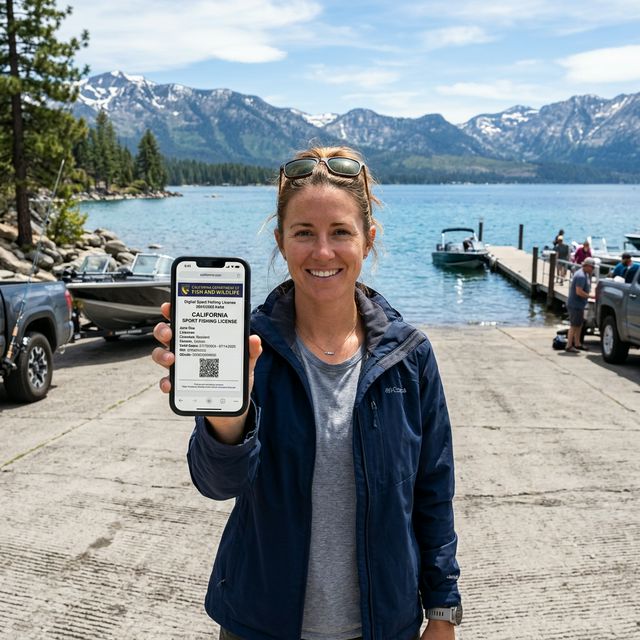
It’s 5:30 AM on a Saturday in April, and you’re backing your trailer down the boat ramp at Shaver Lake in the Sierra Nevada foothills. The trout opener is today. You reach for your phone to pull up your digital license — and the screen shows the expiration date was yesterday. You bought it last April 14, and it expired April 13. Not April 30. Not December 31. California’s 365-day license clock doesn’t care about fishing seasons, calendar years, or your weekend plans. Here’s how to manage your renewal so you never end up at a boat ramp without a valid license.
The 365-Day System: How California Renewals Work
California uses a rolling 365-day license year that’s fundamentally different from the fixed-date systems used by most states. Understanding this system is key to managing your renewal.
How It Works
- You purchase a sport fishing license on any date
- The license is valid for exactly 365 days from that date
- There is no fixed “license year” (no September 1, no January 1)
- There is no auto-renewal
- There is no grace period after expiration
What This Means for You
| If You Buy On… | Your License Expires… |
|---|---|
| January 1 | December 31 |
| March 24 | March 23 (next year) |
| April 27 (trout opener) | April 26 (next year) |
| July 4 (Free Fishing Day) | July 3 (next year) |
The practical advantage: Unlike states with fixed license years (where buying mid-year wastes months), you always get a full year regardless of when you buy. There’s no “bad time” to buy a California fishing license.
The practical disadvantage: You must track your own expiration date. California does not send renewal reminders.
Pro Tip: Buy your annual license on the same memorable date each year — like the general trout opener (last Saturday in April) or your birthday. This makes the expiration easy to remember without calendar alerts.

Plano 3700 Tackle Storage Box
Adjustable dividers. Durable construction. Perfect for organizing lures and tackle.
Affiliate link · Prices may vary
How to Renew Your License
Step 1: Check Your Expiration Date
Your license expiration is printed on the license itself and stored in your CDFW GO ID account online.
Step 2: Purchase a New License
You have three options:
Online (Fastest)
- Go to CDFW Online License Sales
- Log in with your GO ID and password
- Select “Sport Fishing License” and your type (Resident, Non-Resident, etc.)
- Pay with credit/debit card
- Download and print/save the new license PDF immediately
In-Person Retailers Visit any of 1,700+ authorized agents: Big 5, Walmart, Bass Pro Shops, local tackle shops, marinas
CDFW License Sales Office Sacramento, Los Alamitos, or regional offices during business hours
Important Renewal Timing
- Early renewal: Your new license starts its 365-day clock from the purchase date, not from the expiration of your old license. If you buy a new license 2 weeks before the old one expires, you lose those 2 weeks.
- Late renewal: There is no penalty for renewing late. You simply buy a new license when you need one — there’s no lapsed status or reinstatement fee.
- The daily option: If you only fish occasionally, individual 1-day ($21.09) or 2-day ($32.40) licenses may be more cost-effective than renewing an annual. See the non-resident guide for the break-even math.

Flambeau Outdoors Zerust Tackle Box
Corrosion-proof tackle box with Zerust anti-corrosion technology. Protects lures and gear.
As an Amazon Associate, we earn from qualifying purchases. Prices may vary.
Replacing a Lost or Damaged License
If your license is lost, stolen, or damaged:
Digital License (Easiest)
Log into your CDFW account at wildlife.ca.gov and reprint the PDF. Your license is permanently stored under your GO ID — you can reprint it unlimited times.
Retail Purchase
If you bought from a retail agent and don’t have online access, visit any CDFW License Sales Office with a valid photo ID. They can look up your purchase by your GO ID, name, or driver’s license number.
Duplicate Fee
A duplicate license fee may apply (typically a few dollars). The exact fee depends on how the original was purchased.

Plano Weekend Series Tackle Bag
Includes utility boxes. Water-resistant base. Multiple pockets for travel.
Affiliate link · Prices may vary
Your GO ID: The Key to Everything
CDFW assigns every buyer a GO ID number — a permanent, unique customer identifier. Think of it as your California outdoor recreation account number.
What Your GO ID Does
- Stores all your license purchase history
- Enables online purchase and renewal
- Allows instant license reprinting if lost
- Carries any special eligibility flags (reduced-fee veteran, senior SSI/CAPI)
- Links your report card submissions
How to Find Your GO ID
- Check any previous California fishing or hunting license — it’s printed on the document
- Log into your CDFW account at wildlife.ca.gov
- Call CDFW at (916) 928-5805 with your name and date of birth
If You Don’t Have a GO ID
First-time buyers get a GO ID automatically during their first purchase. You can also create an account online before buying to get your GO ID in advance.
Digital vs. Physical Licenses
California fully supports digital licenses, but only through their official app:
| Feature | CDFW License App | Physical (Printed Card) | PDF / Screenshot |
|---|---|---|---|
| Legal validity | ✅ Fully valid | ✅ Fully valid | ❌ NOT VALID |
| Accepted by wardens | ✅ Yes | ✅ Yes | ❌ No |
| Offline access | ✅ App stores license locally | ✅ Self-contained | N/A |
| Replaceable if lost | ✅ Instant login | Requires duplicate purchase | N/A |
| Verifiable if phone dies | ❌ Must have physical backup | ✅ Always works | N/A |
The App Rule: In 2024, CDFW launched the official “CDFW License App” (available on iOS and Android). This is the only legally acceptable method to display a digital license. You cannot show a warden the PDF receipt you got in your email, and you cannot show a screenshot. The app securely stores your license data and works offline.
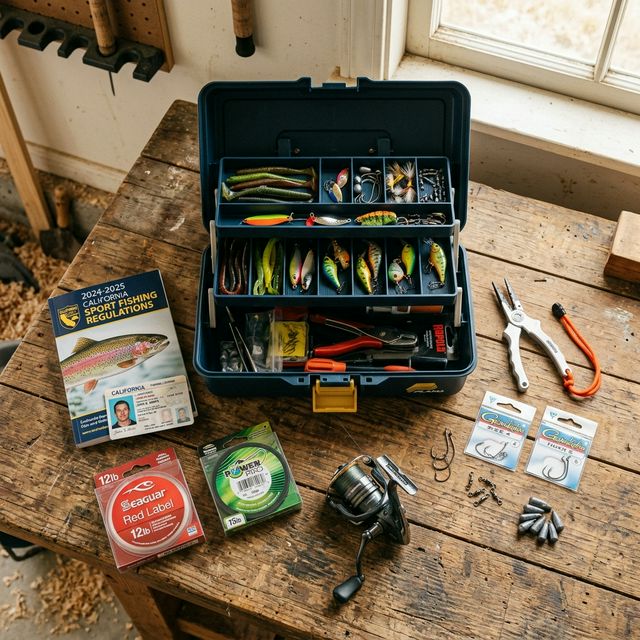
Recommendation: Download the CDFW app, log in with your GO ID, and download your license over Wi-Fi before your trip. However, ALWAYS carry your printed physical license in your tackle box as a backup. If your phone dies or overheats in the sun, you are legally considered to be fishing without a license unless you can produce the physical copy.
Report Cards: Separate Renewal Timelines
Remember that your report cards do not follow the 365-day license clock. They have their own strict validity periods:
| Report Card | 2026 Price | Validity Period |
|---|---|---|
| Steelhead | $10.29 | Calendar year (January 1 – December 31) |
| Sturgeon | Free (2025-26) / $8.13 | Sturgeon season (October 1 – June 30) |
| Spiny Lobster | $12.45 | Lobster season dates |
Sturgeon Report Card shift: Starting in late 2025, Sturgeon Report Cards stopped using the calendar year system and now align with the sturgeon fishing season (Oct-Jun). The 2025-2026 card was issued free, but the incoming 2026-2027 card will cost $8.13.
Return Deadlines: You must return or report data online for ALL report cards, even if you caught nothing (mark “Did Not Fish”). The deadline is usually January 31 of the following year (or July 31 for Sturgeon). Failure to report your Spiny Lobster catch results in a $21.60 non-reporting fee when you try to buy next year’s card.
Checklist: California Fishing License Renewal
- Check your current license expiration date (365 days from last purchase)
- Decide: annual ($64.54 resident / $174.14 NR) vs. short-term vs. daily
- Purchase online, at a retailer, or at a CDFW office
- Download and save digital license in the CDFW License App (not a PDF)
- Print a backup copy for your tackle box
- Purchase any needed add-ons: Ocean Enhancement Validation ($7.30)
- Purchase or renew report cards: Steelhead ($10.29), Sturgeon (free/season), Lobster ($12.45)
- Download the current year’s CDFW Regulations Booklet (check for rule changes)
- Set a calendar reminder for 350 days from purchase
For license types and pricing, see the non-resident guide. For what your license covers, see the rules & regulations guide. For lifetime license options (no renewal needed), see the lifetime guide.