 FishKillFlea
· Basics · 6 min read
How to Buy a Fishing License Online (2026) — State Portals, Apps & Digital Delivery
Reviewed by FishKillFlea Editorial Team
Step-by-step guide to purchasing your fishing license online through official state portals. Covers all 50 states, payment methods, digital delivery, and troubleshooting tips.
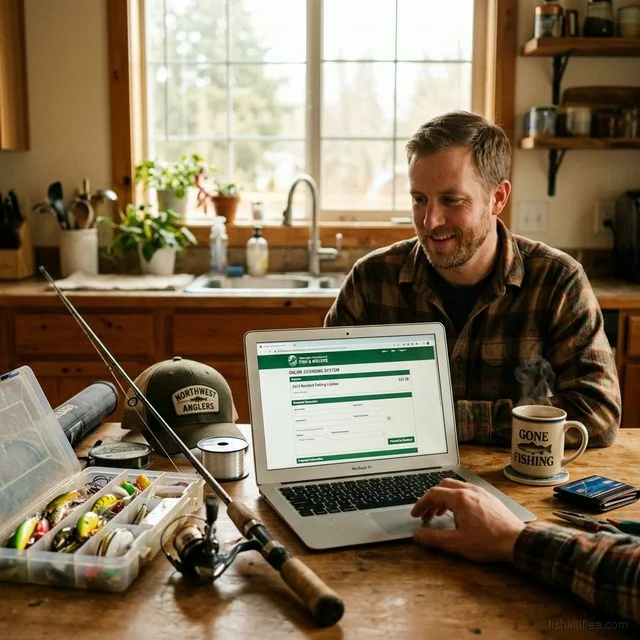
Want to buy your fishing license without leaving home? All 50 US states now offer online fishing license sales through their official fish and wildlife agency websites. The process takes about 5 minutes, and most states deliver your license digitally — meaning you can be legal to fish within minutes. Here’s exactly how to do it, what it costs, and how to avoid convenience fees.
How to Buy a Fishing License Online (Step-by-Step)
The process is similar across all states. Here’s the general workflow:
Step 1: Find Your State’s Official Portal
Visit your state’s fish and wildlife agency website. Every state uses a slightly different system, but they all follow the same basic structure. See our state pages for direct links to all 50 state portals.
Warning: Only buy from official state websites. Third-party sites that claim to sell fishing licenses are either scams or will redirect you to the state portal anyway — sometimes after charging a fee.
Step 2: Create an Account or Log In
First-time buyers will need to create an account. You’ll typically need to provide:
- Full legal name (as it appears on your ID)
- Date of birth
- Social Security Number (required in most states for ID verification)
- Home address (determines your residency status and price)
- Email address (for digital delivery and confirmation)
- Phone number (optional in most states)
If you’ve purchased a license before, you can usually log in with your previous credentials or look up your account by SSN or customer ID number.
Step 3: Select Your License Type
Choose the license type that matches your needs:
| License Type | Typical Duration | Best For |
|---|---|---|
| Annual Resident | 1 year (calendar or 365-day) | Year-round anglers in their home state |
| Annual Non-Resident | 1 year | Frequent visitors to another state |
| One-Day | 24 hours | Visitors, occasional anglers |
| 3-Day / 7-Day | Short-term | Vacationers, weekend trips |
| Lifetime | Permanent | Long-term residents, children |
| Combination (Hunt + Fish) | 1 year | Hunters who also fish |
Most state portals also offer add-on stamps and endorsements (trout stamps, saltwater endorsements, harvest tags) that you can purchase during the same transaction. See our Trout Stamps & Endorsements Guide for details.
Step 4: Pay by Credit or Debit Card
All state portals accept Visa, Mastercard, and Discover. Many also accept:
- American Express
- PayPal (limited states)
- E-checks / ACH bank transfer (typically saves the convenience fee)
Most states charge a small online convenience fee of $1–$3 for credit card transactions. This fee covers payment processing costs and goes to the card processor, not to the state.
Step 5: Download or Print Your License
After payment, you’ll receive your license in one or more of these formats:
- PDF download — Print at home on standard paper
- Email confirmation — A backup copy sent to your email
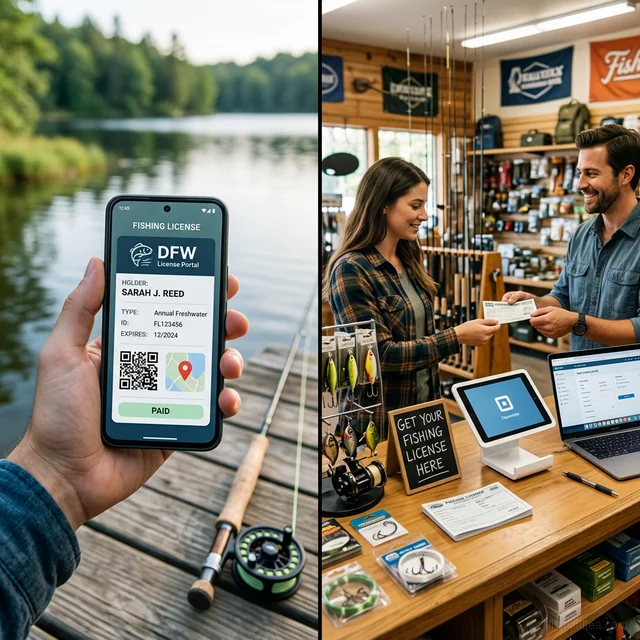
- Digital license — Available in your state’s mobile app
- Physical card — Mailed to your address (some states, 7–14 days)
In most states, the digital version is legally valid — you don’t need to carry a printed copy. However, a few states still require you to have a physical copy. Check your state’s regulations to be sure.

Pflueger President Spinning Reel
Smooth 10-bearing system. Great value for freshwater fishing.
Affiliate link · Prices may vary
Which States Offer Online License Sales?
All 50 states offer online fishing license purchases. Here’s a breakdown of the portals and systems each state uses:
| Region | States | Portal System |
|---|---|---|
| Southeast | FL, GA, AL, SC, NC, TN, VA | Go Outdoors / state-specific |
| Northeast | NY, NJ, PA, MA, CT, ME, NH, VT, RI, DE, MD | State-specific portals |
| Midwest | MI, OH, IN, IL, WI, MN, IA, MO, KS, NE, ND, SD | Go Wild / state-specific |
| South Central | TX, OK, AR, LA, MS, KY, WV | TPWD / state-specific |
| Mountain West | CO, MT, WY, ID, UT, NM, AZ, NV | iSportsman / state-specific |
| Pacific | CA, OR, WA, AK, HI | State-specific portals |
For direct links to each state’s portal, visit our state-by-state license pages.

Ugly Stik Elite Spinning Rod
Premium Ugly Stik with improved sensitivity and lighter weight.
As an Amazon Associate, we earn from qualifying purchases. Prices may vary.
Tips for Buying Online
Buy Before You Go
Don’t wait until you’re at the water’s edge with no cell service. Purchase your license at least one day before your trip to avoid any issues with slow downloads or email delivery.
Save Your Confirmation Number
Write down or screenshot your confirmation number immediately after purchase. This number lets you look up and reprint your license if anything goes wrong.
Check for Bundled Discounts
Many states offer discounted prices when you purchase a combination license (hunting + fishing) or add multiple stamps at once. Review all available options before completing your purchase.
Use E-Check to Avoid Convenience Fees
If your state offers ACH/e-check payment, you can typically avoid the $1–$3 credit card convenience fee. The trade-off is that processing may take 1–2 business days.
Download the State App
After purchasing online, download your state’s official app (if available) to carry your license on your phone. This gives you a backup if you lose your printed copy. See our Fishing License Apps Guide.

Penn Pursuit IV Spinning Combo
Rod and reel combo ready to fish out of the box. Great value for new anglers.
Affiliate link · Prices may vary
Common Issues & Troubleshooting
”My license didn’t arrive by email”
- Check your spam/junk folder — state agency emails are frequently filtered
- Wait 15–30 minutes — some systems have a delay
- Log back into the portal and download directly from your account
”I can’t find my state’s portal”
- Visit our state pages for verified links to every state
- Search “[Your State] buy fishing license online” — the official result is usually first
- Call your state’s fish and wildlife phone number for guidance
”The website shows an error during payment”
- Try a different browser (Chrome, Firefox, Safari)
- Disable your ad blocker — some portals use payment widgets that ad blockers interfere with
- Try a different credit card — some state systems don’t accept all card types
- Clear your browser cookies and cache, then try again
”I bought the wrong license type”
- Contact your state’s fish and wildlife agency immediately — many offer refunds or exchanges within 24–48 hours
- Some states allow you to upgrade your license type online (e.g., daily → annual) by paying the price difference
Online vs. In-Store: Which Should You Choose?
| Factor | Online | In-Store (Walmart, etc.) |
|---|---|---|
| Speed | 5 minutes, instant delivery | 5–10 minutes + drive time |
| Availability | 24/7, 365 days | Store hours only |
| Payment | Credit/debit, e-check | Cash, credit, debit |
| License format | Digital PDF + app | Printed paper receipt |
| Add-on stamps | All available | Most available |
| Expert advice | None | Store associates, limited |
| Convenience fee | $1–$3 (card), $0 (e-check) | $0 |
Bottom line: Online is faster and more convenient for most people. In-store is better if you prefer cash, want to browse gear at the same time, or need help choosing the right license type.
Frequently Asked Questions
How fast do I get my license after buying online? Instantly in most cases. After completing your purchase, you can download your license as a PDF immediately. Email confirmation typically arrives within 15–30 minutes.
Is it cheaper to buy a fishing license online? The license price is the same whether you buy online or in-store. The only difference is that most state portals charge a $1–$3 online convenience fee for credit card processing. Using an e-check payment method typically waives this fee.
Can I use my phone as proof of my fishing license? In most states, yes. Over 30 states offer official mobile apps where your digital license is legally valid. However, some states still require a physical copy — check our Fishing License Apps Guide.
Can I buy a non-resident license online? Yes. Every state portal allows non-residents to purchase licenses online. You’ll need to select “non-resident” during the license type selection step. See our Non-Resident Guide for details.
Can I buy a fishing license online for someone else? It depends on the state. Some states allow you to purchase licenses as gifts, while others require the license holder to be the account owner. See our Fishing License Gift Guide for state-by-state rules.
Start now — visit our state pages for direct links to every official license portal, use our License Finder to verify requirements, or explore where to buy in person if you prefer shopping in-store.